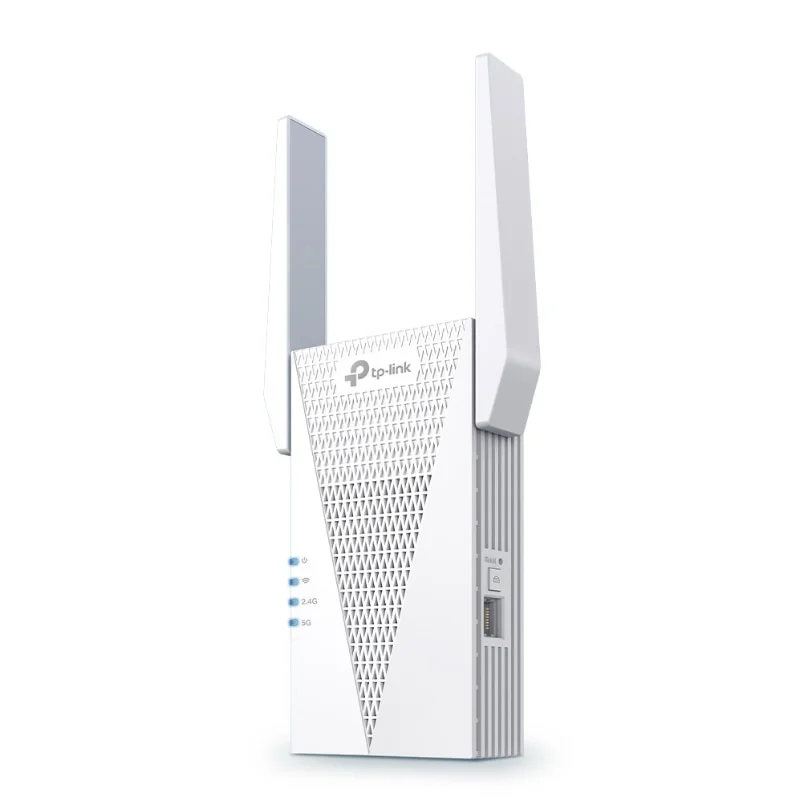
AX3000 Mesh WiFi 6 Extender
Model TP-RE715X
- Dual band WiFi 6 extender
- Mesh-ready with EasyMesh routers
- Quick setup via WPS or Tether app
Customer Price$130.90
Price in CAD, before tax. Dealers see their own price after sign in.
On order from the supplier: you can order now, it ships as soon as it arrives.
- Authorized Canadian dealer
- Manufacturer warranty
- Secure checkout
Overview
The TP-Link AX3000 Mesh WiFi 6 Extender is a range extender for installers who need to fill dead spots in homes and small offices. It works with an existing router and adds dual band WiFi 6 coverage in areas the main signal does not reach.
It can join an EasyMesh-compatible router to build a mesh network, or act as a new access point through its Gigabit Ethernet port to add WiFi to a wired network. Setup is quick, using the WPS button or the Tether app.
Product information
– Up to 3.0 Gbps Dual Band Wi-Fi: Separates 5 GHz (2402 Mbps) and 2.4 GHz (574 Mbps) WiFi bands for faster speeds and greater capacity with the WiFi 6 technology.
– Smart Roaming: Walk from room to room and stay connected with the fastest possible speeds.
– EasyMesh-Compatible: Flexibly creates a Mesh network by connecting to an EasyMesh-compatible router for seamless whole-home coverage.
– AP Mode: Create a new WiFi access point through the Gigabit Ethernet port to enhance your wired network with WiFi capability.
– Adaptive Path Selection: Automatically choosing the fastest connection path to the router.
– Easy Setup: Plug in and then easily set up via a press of the WPS button or via the Tether App.
– Ultimate Compatibility: Extends the range of any Wi-Fi router or wireless access point.
Frequently asked questions
Does the TP-Link AX3000 WiFi 6 extender work with any router?
The TP-Link AX3000 Mesh WiFi 6 Extender is compatible with any Wi-Fi router or wireless access point. For a full mesh network, it connects to an EasyMesh-compatible router.
What is access point mode on the TP-Link AX3000 extender?
Access point mode lets the TP-Link extender create a new WiFi access point through its Gigabit Ethernet port. This adds wireless capability to an existing wired network.
How is the TP-Link AX3000 WiFi 6 extender set up?
Setup can be done by pressing the WPS button or by using the Tether app. The extender is designed to be plugged in and set up quickly.
Specifications
General Information
- Brand
- TP LINK
- Manufacturer Part Number
- TP-RE715X
- Product Type
- TP LINK
No specifications match your search.
Spot a wrong spec? Tell us
Documents and downloads
Planning a project?
Talk to a Nexsaver specialist about design, volume pricing and lead times.
Request a project quoteYou may also like
-
Networking
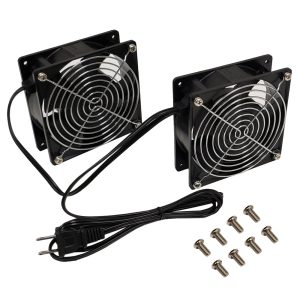
Fan Kit for RM-500 Series Wall Mount Cabinets – Low Decibel 28dBa – 55 CFM – Pair
Customer Price$46.67 Add to cart -
Networking
Wall Mount Cabinet 9U x 19.5 inch Usable Depth, Glass Door – Black
Customer Price$360.36 Add to cart -
Networking
Rack Screw, 10-32 Thread, 3/4 inch Length Pan-head Quadrex (Phillips #2 & Robertson #2) – 100 Pack
Customer Price$29.25 Add to cart -
Networking
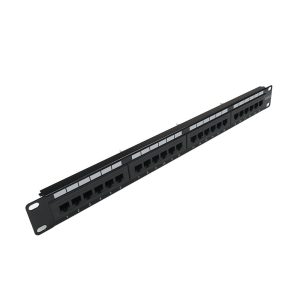
24-Port CAT6 Patch Panel, 19″ Rackmount 1U – 110 Punch-Down
Customer Price$59.35 Add to cart