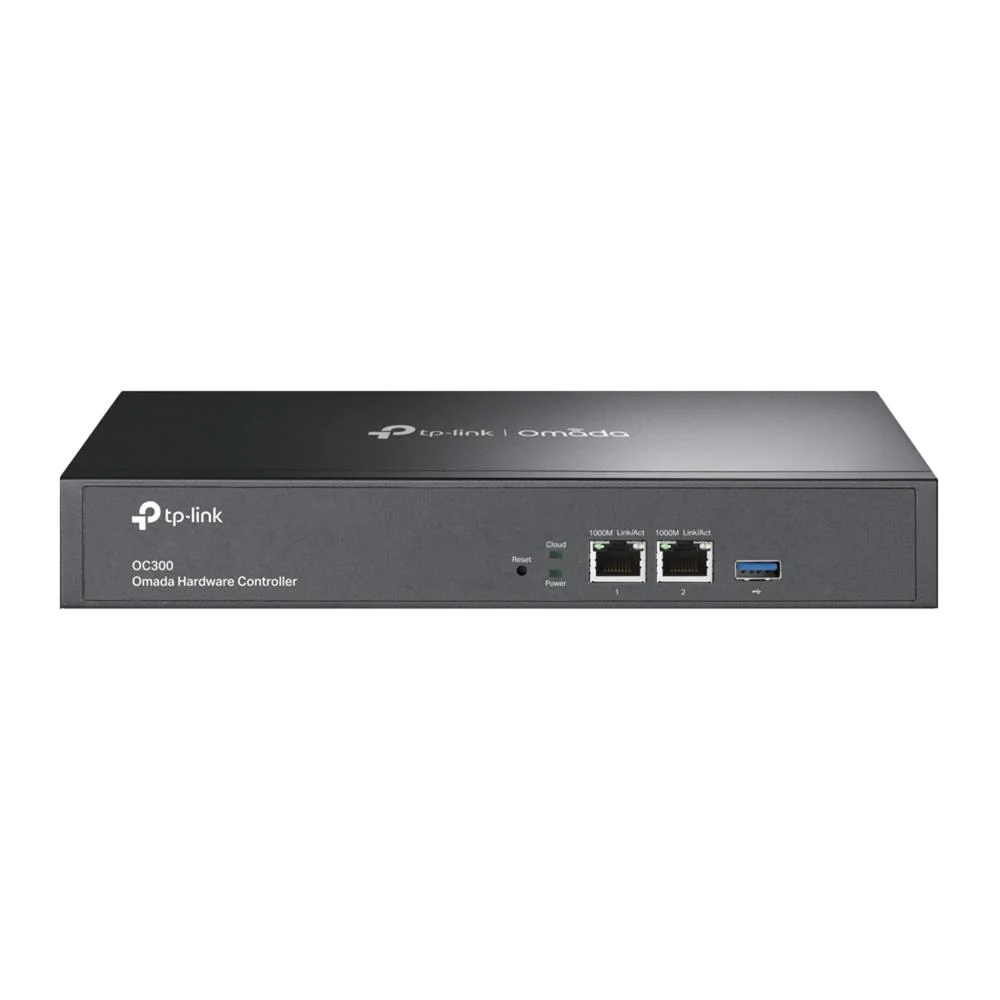
Omada Hardware Controller
Model TP-OC300
- Manage up to 500 Omada devices centrally
- Cloud and local access to your network
- Automatic backups via USB 3.0 port
Customer Price$508.19
Price in CAD, before tax. Dealers see their own price after sign in.
In stock
- Authorized Canadian dealer
- Manufacturer warranty
- Secure checkout
Overview
The TP-Link Omada Hardware Controller is a central management device for Omada networks, letting you oversee access points, JetStream switches and SafeStream routers from one place. It suits installers and IT teams who run several Omada devices and want to handle them together rather than logging into each unit.
Cloud access lets you check and change settings from outside the site, while local monitoring keeps the network visible when you are on-site. Batch changes, multi-site oversight and remote firmware updates cut down on routine maintenance work.
Product information
– Centralized management for up to 500 Omada access points, JetStream switches, and SafeStream routers.
– Cloud access to manage from anywhere, anytime.
– Locally monitor and manage devices with the ultimate security and stability.
– The Omada app for convenient management.
– Industry-leading hardware design with a powerful chipset, durable metal casing, and USB 3.0 port for auto backup.
– Batch management, multi-site management, and remote firmware updates benefit network maintenance.
– The easy-to-use dashboard makes it easy to see your real-time network status and check network usage and traffic distribution.
– Network topology helps IT admins quickly see and troubleshoot connections at a glance.
Frequently asked questions
What devices can the TP-Link Omada Hardware Controller manage?
It provides centralized management for up to 500 Omada access points, JetStream switches and SafeStream routers. This lets you oversee mixed Omada networks from a single device.
Can I manage the Omada Hardware Controller remotely?
Yes, cloud access lets you manage the network from anywhere at any time. Local monitoring and management is also available when you are on-site.
Does the Omada Hardware Controller support automatic backups?
It includes a USB 3.0 port that supports automatic backup. The port is built into the controller's hardware design.
Can the Omada Hardware Controller update firmware on multiple sites?
Yes, it supports batch management, multi-site management and remote firmware updates. These features help reduce network maintenance work.
Specifications
General Information
- Brand
- Networking
- Manufacturer Part Number
- TP-OC300
- Product Type
- Wireless Access Point
Connectivity
- Number of Ports
- 0
No specifications match your search.
Spot a wrong spec? Tell us
Documents and downloads
Planning a project?
Talk to a Nexsaver specialist about design, volume pricing and lead times.
Request a project quoteYou may also like
-
Networking
1U 19″ Rackmount FDU with Slide Out (holds 2 panels) (Non-LGX) – Black
Customer Price$62.73 Add to cart -
Networking
1U 24-port Keystone Patch Panel – 19 inch Rack Mount – Cable Manager – Shielded – Unloaded
Customer Price$39.13 Add to cart -
Networking
Fan Kit for RM-500 Series Wall Mount Cabinets – Low Decibel 28dBa – 55 CFM – Pair
Customer Price$46.67 Add to cart